
Replacement Control Board to Driver Board Cable for use in Gottlieb System 1 Pinball Machines.
Self Repair Notes:
If some or all of the pins on your cable need to be replaced (see information below) you can purchase the following parts at electronics suppliers like Mouser, Digi-Key or Allied Electronics. Cut off your existing pins (one at a time, so you don't mix them up) then strip the wire, and crimp on a new pin. We may provide a kit a some point, but for now, we are providing this information for those who have asked for help.
Part
Part Number
Notes
Pins (contacts, terminals)
Molex 08-50-0106
or Molex 08-52-0072
Connector 24 Pin
Molex 09-01-6241 (available from Great Plain Electronics)
only needed if your connector is broken
Crimp Tool (Economy)
Waldom/Molex W-HT-1919
about $20 If using this tool you may consider also soldering the wire to the pin for a better connection.
Crimp Tool (Professional)
Sargent 3136CT
or Molex HTR2445A
or Molex HTR2445A
about $150
Extraction Tool
Molex 11-03-0016
about $15 This tool is a must for removing the pins, insert the tool under the pin to release the locking tab, then remove the pin by pulling on the wire, it should come out gently if the tool is properly inserted.
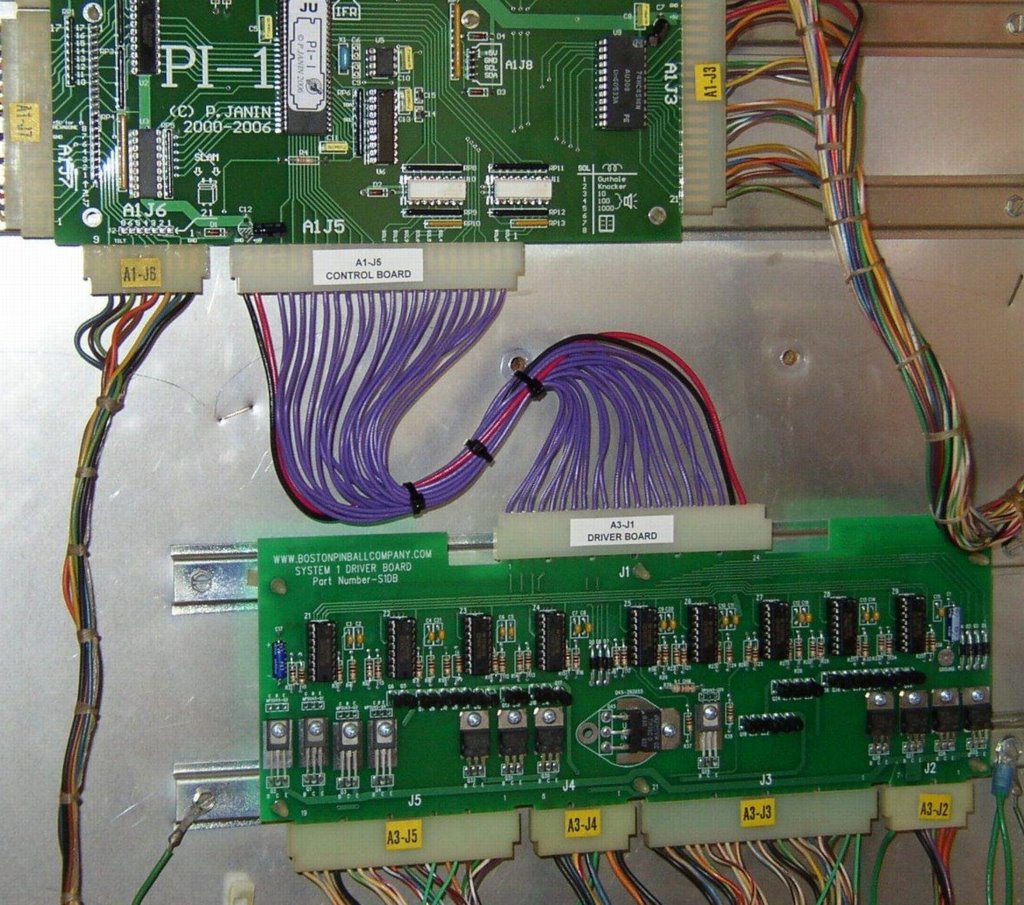
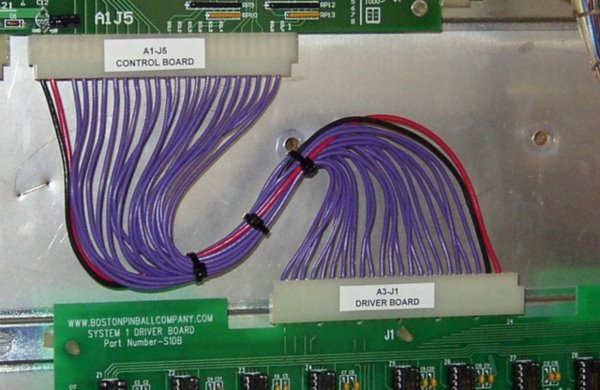
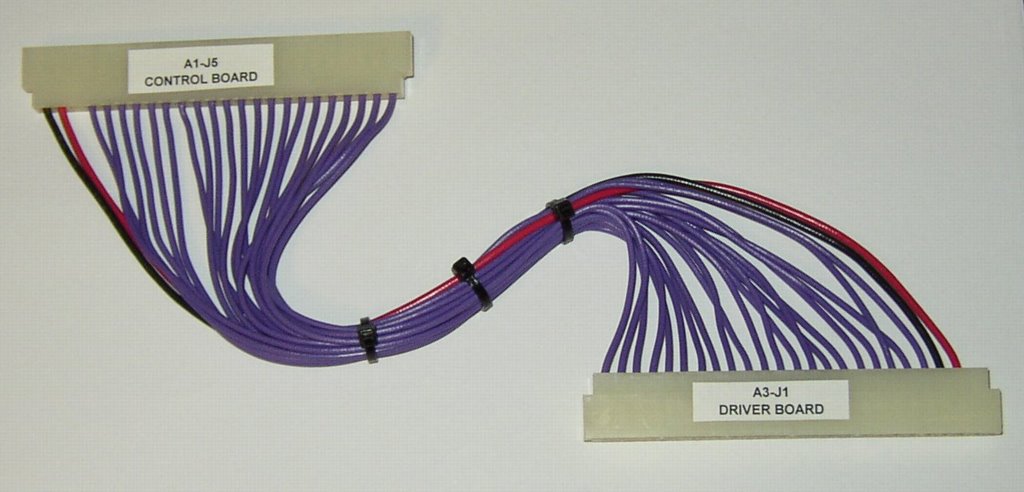
These new cables have all new parts. If you have replaced the control board and/or driver board, you also need one of these cables. This cable is the cause of many problems with these machines, from machine not working or starting, lamps or solenoids that don't work or work intermittently. If you replaced an old control board that had battery acid damage (green or white looking dust on the board or connector pins) then you definitely need one of these cables. This cable could solve those problems! This is the cable that goes from the A1-J5 connector on the bottom of the Control Board to the A3-J1 connector on the top of the Driver Board.
Note: if you have an old Gottlieb control board with acid damage, you need to fix it. This cable will fix damage already caused buy acid damage to the pins on the board.
Examples of battery acid damage:
(click on pictures for larger view)
(click on pictures for larger view)
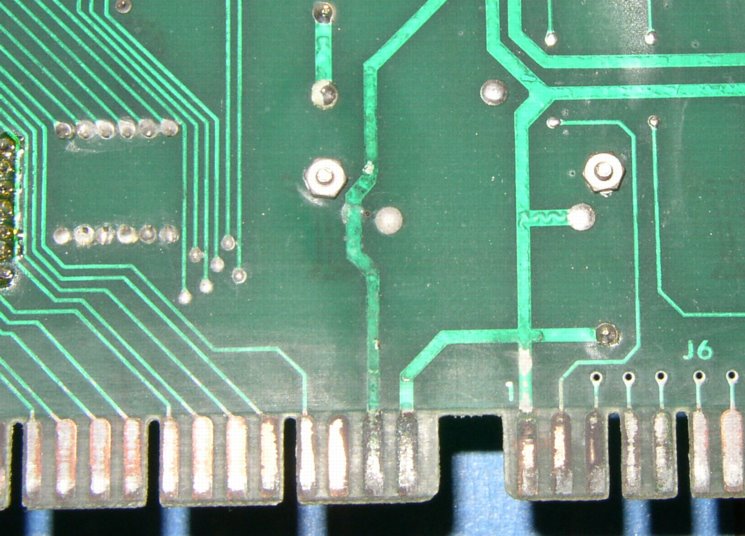
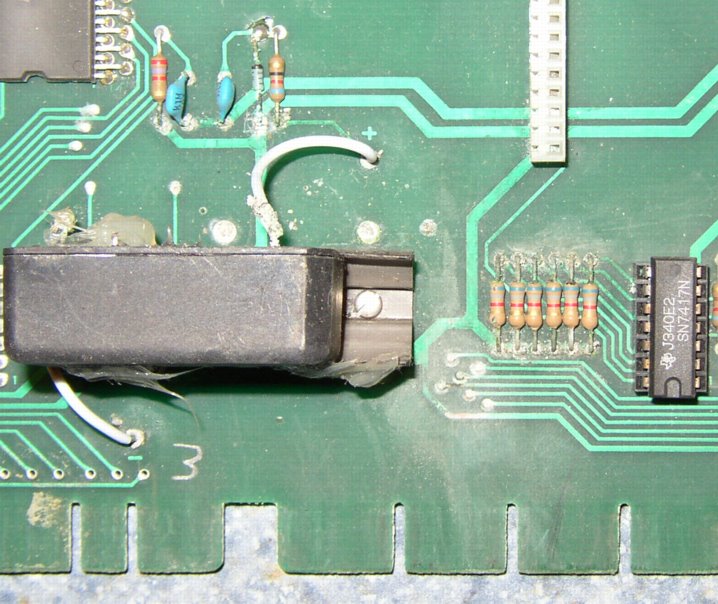
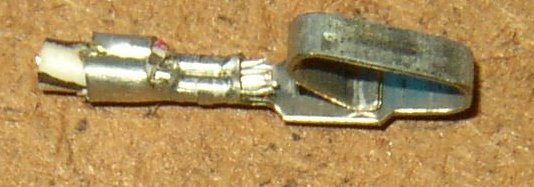
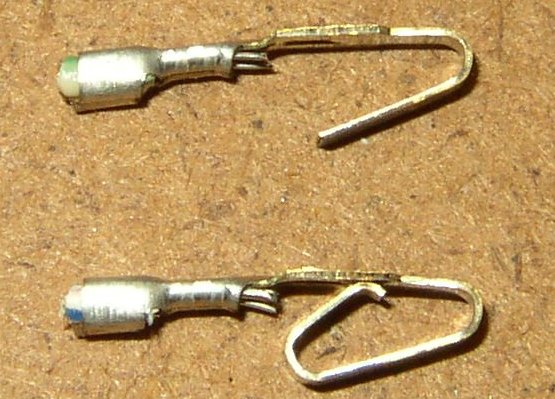
Example of bad pins:
(Pins on left has greenish or whitish tint) (pins on top right has tab broken)
(Pins on left has greenish or whitish tint) (pins on top right has tab broken)
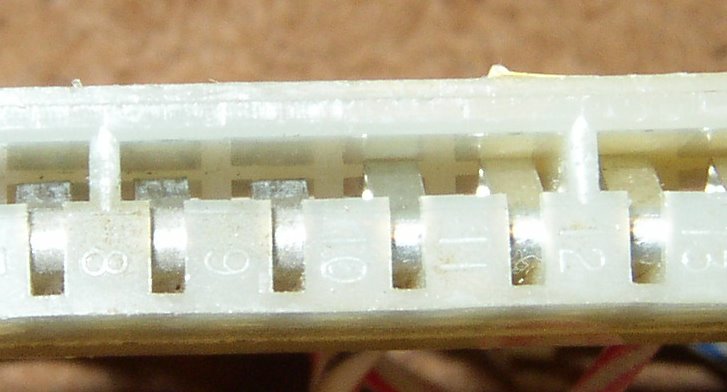
Example of bad pins in connector:
(3 pins on left are old, whitish tint, tabs have lost tension-sits lower in connector, causes bad connections) (3 pins on right are NEW, bright shinny, full tension, good connection)
(3 pins on left are old, whitish tint, tabs have lost tension-sits lower in connector, causes bad connections) (3 pins on right are NEW, bright shinny, full tension, good connection)
Advantages of our NEW cable.
All new components, not 30 years old! New connectors, new pins, new wire.
(Wire colors my vary from pictures.)
(Wire colors my vary from pictures.)
NEW pins. The pins on old machines can loose their tension over time, they can also have poor connections due to battery acid damage from old control boards.
NEW connectors. Old and brittle connectors that are cracked can cause loose connections on the pins.
We use larger 20AWG wire on the control wires, this provide a stronger connection on the new pins to avoid the potential of being pulled out or broken off.
Our cable has nice curved design as opposed to the original straight across layout. Ours fits nice on the original Gottlieb control board or the replacement Ni-Wumpf or Pascal PI-1 boards.
Original Cable:
Original Cable:
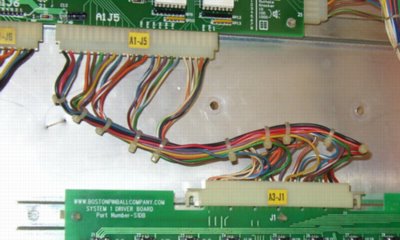
Our NEW Cable:
Upgrade your machine now!
Currently Available for the following System 1 Machines.
System 1
USPS First Class Shipping "FREE", or
Select USPS Priority Shipping at checkout.
Select USPS Priority Shipping at checkout.
Cleopatra, Sinbad, Joker Poker, Dragon, Solar Ride, Countdown, Close Encounters
Charlie's Angels, Pinball Pool, Totem, Hulk, Genie, Buck Rogers, Torch, Roller Disco, Asteroid Annie & The Aliens
Please note: Kit includes one System 1 Cable Assembly .
Troubleshooting Existing Boards and Cables
Our new driver board can correct problems ranging from dim lamps, not working lamps, not working chimes, or drop targets that won't reset. You can test some of these features with the self test mode on the CPU control board. See your manual for instructions on how to test the outputs of the driver board. If you find that some of your lamps still don't work even after you have replaced the lamp, the problem could be in the driver board. If your drop targets don't always reset, the problem could be a transistor on the driver board.
System 1 machines have been known to have problems with CPU boards that have leaky batteries that have caused corrosion to the cable between the CPU board and the driver board. You should check the pins on the connectors to see if any pins are broken, corroded or weak spring force. If you have replaced your CPU board with a new version because of battery corrosion, you should definitely check the connector pins. Order a new cable with our driver board!
There is also some good information on connector problems located here:www.PinWiki.com
IMPORTANT WARNING...never remove the connector at the displays or control boards or driver board without first turning the machine OFF. You will probably damage the control board!
Driver Board Components and functions
Driver Board Chip #
Driver Board Transistor #
Output ID (L=Lamp #)
Lamp Function (example only, see manual for your specific game)
Z1
Q1
L1
Game over relay
Q2
L2
Tilt relay
Q3
L3
High game to date
Q4
L4
Same player shoots again
Z2
Q5
L5
Red rollover
Q6
L6
Purple rollover
Q7
L7
Top yellow rollover
Q8
L8
Bottom left yellow rollover
Z3
Q9
L9
White rollover
Q10
L10
Top white target
Q11
L11
Bottom white target
Q12
L12
Not used
Z4
Q13
L13
Not used
Q14
L14
Advance
Q15
L15
Advance
Q16
L16
Advance
Z5
Q17
L17
Advance
Q18
L18
Advance
Q19
L19
5X bonus
Q20
L20
3X bonus
Z6
Q21
L21
4X bonus
Q22
L22
2X bonus
Q23
L23
1000 bonus
Q24
L24
2000 bonus
Z7
Q33
L25
3000 bonus
Q34
L26
4000 bonus
Q35
L27
5000 bonus
Q36
L28
6000 bonus
Z8
Q37
L29
7000 bonus
Q38
L30
8000 bonus
Q39
L31
9000 bonus
Q40
L32
10,000 bonus
Z9
Q41
L33
Right yellow rollover
Q42
L34
Bottom yellow rollover
Q43
L35
Not used
Q44
L36
Not used
N/A
Q25
SOL#2
KNOCKER
N/A
Q26
SOL#3
TENS CHIME
N/A
Q27
SOL#4
HUNDREDS CHIME
N/A
Q28
SOL#5
THOUSANDS CHIME
N/A
Q32
SOL#1
OUTHOLE
N/A
Q31
SOL#6
WHITE DROP TARGET RESET
N/A
Q30
SOL#7
PURPLE DROP TARGET RESET
via Q29
Q45
SOL#8
RED DROP TARGET RESET

Copyright 2024 the Boston Pinball Company
Disclaimer...The Boston Pinball Company L.L.C can not be held responsible for damage to your machine as a result of our products. Our products have been tested on many, but not every machine represented on these pages. The assumption is made that your System 1 or System 80 Gottlieb Pinball Machine reflects the design documentation available in the original Gottlieb manuals and technical documents. Your are responsible to make sure your machine is in working order and reflects them before installing our products. We gladly accept returns on our products, but any damage to our products as a result of an improperly wired or malfunctioning machine will result in a refund that is prorated based on damage. We are not responsible for typographical errors on these pages.
(We welcome any comments about errors found.)
(We welcome any comments about errors found.)
All material on this website © Copyright of the Boston Pinball Company (unless otherwise noted) All rights reserved. The materials in this site are provided “as is” and without warranties of any kind either express or implied.
We will gladly try to assist you in a problem you are having with your machine before you decide to try our products.
Just e-mail us at; support @ boston pinball company . com ( no spaces in the address )
Just e-mail us at; support @ boston pinball company . com ( no spaces in the address )
The Boston Pinball Company L.L.C. has no association with Gottlieb, Bally, Williams, Sega, Stern, Innovative Concepts in Entertainment or any other manufacturer listed on our website. Gottlieb® is a trademark of Gottlieb Development LLC. CHEXX™ and SUPER CHEXX™, ICE® are the property of I.C.E. Inc.